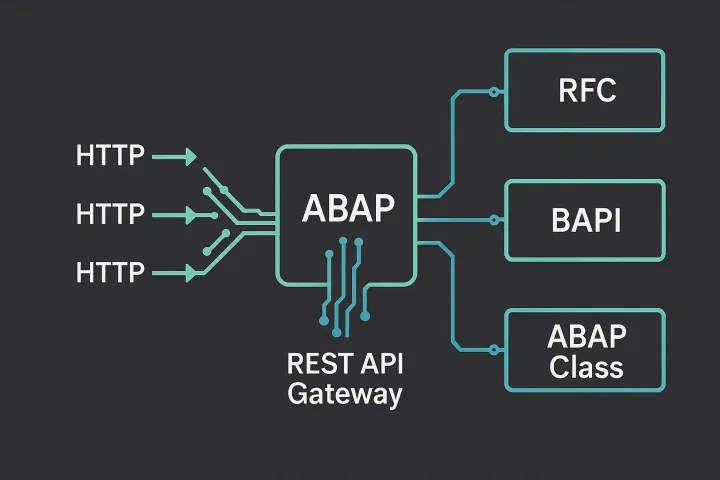
Most articles about connecting SAP to external AI APIs assume you have SAP BTP sitting in the middle. But the reality in many shops is different: you have a classic on-premise SAP ECC or S/4HANA system, a strict network team, and zero appetite for spinning up BTP infrastructure just to make an HTTP call. If that sounds familiar, this post is for you. We are going to wire up a Claude API ABAP integration directly from your ABAP stack — using RFC destinations, CL_HTTP_CLIENT, and a clean JSON payload structure — no middleware required.
Why Bother Calling Claude Directly from ABAP?
Before we write a single line of code, let me be honest about the trade-offs. Direct HTTP calls from ABAP work well for:
- Enriching master data (vendor descriptions, material classification suggestions)
- Summarizing long SAP text fields (purchase order notes, quality notifications)
- Generating draft output messages or email bodies from structured RFC data
- Validating or normalizing user input in Fiori apps via a back-end call
What they are not great for: high-volume batch processing where you are firing thousands of requests per hour, or scenarios requiring complex orchestration. For those, you would need a proper async queue in front of the API. But for enrichment use cases triggered by user actions or periodic jobs, direct ABAP-to-Claude is totally viable and operationally simple.
Step 1: Configure an SM59 RFC Destination
Everything starts in SM59. You need an HTTP connection of type G (external HTTP) pointing to Anthropic's API endpoint.
- Connection type: G (HTTP connection to external server)
- Target host:
api.anthropic.com - Port:
443 - Path prefix:
/v1/messages - SSL: Active — select your SSL client PSE (usually
ANONYMor a custom one with the Anthropic cert imported)
You will also need to import the Anthropic TLS certificate chain into your SAP system via STRUST under the SSL Client (Anonymous) PSE. Export the cert from your browser when you visit api.anthropic.com, then import it in STRUST. Without this step, your HTTPS call will fail with an SSL handshake error and you will spend an hour wondering why.
Once the destination is saved, use the Connection Test button. You will likely get an HTTP 400 or 401 back from Anthropic — that is fine. It means the network path is open and TLS is working. An error like NIECONN_REFUSED or SSL_ERROR means you still have a firewall or certificate problem to fix before writing any ABAP.
Step 2: Build the JSON Request Payload
The Claude Messages API expects a JSON body. Here is the minimal structure you need:
{
  "model": "claude-opus-4-5",
  "max_tokens": 1024,
  "messages": [
    {
      "role": "user",
      "content": "Summarize the following purchase order note: ..."
    }
  ]
}
In ABAP, we build this string manually or with a small helper. I prefer a dedicated method so the payload construction stays testable. Here is a straightforward implementation:
CLASS zcl_claude_payload DEFINITION PUBLIC FINAL CREATE PUBLIC.
  PUBLIC SECTION.
    CLASS-METHODS build_message_payload
      IMPORTING
        iv_model      TYPE string DEFAULT 'claude-opus-4-5'
        iv_max_tokens TYPE i      DEFAULT 1024
        iv_prompt     TYPE string
      RETURNING
        VALUE(rv_json) TYPE string.
ENDCLASS.

CLASS zcl_claude_payload IMPLEMENTATION.
  METHOD build_message_payload.
    " Escape any double quotes in the prompt to keep JSON valid
    DATA(lv_escaped_prompt) = iv_prompt.
    REPLACE ALL OCCURRENCES OF '"' IN lv_escaped_prompt WITH '\"'.
    REPLACE ALL OCCURRENCES OF cl_abap_char_utilities=>newline
      IN lv_escaped_prompt WITH '\
'.

    rv_json = |\{| &&
      |"model":"{ iv_model }",| &&
      |"max_tokens":{ iv_max_tokens },| &&
      |"messages":[\{"role":"user","content":"{ lv_escaped_prompt }"\}]| &&
      |\}|.
  ENDMETHOD.
ENDCLASS.
This is intentionally minimal. If you need system prompts, multi-turn conversations, or temperature settings, extend the method to accept those parameters. Keeping the payload builder in its own class makes it easy to unit test in isolation — something I always push teams toward. Check the ABAP unit testing practices article on this site if you want to see how to mock the HTTP layer properly.
Step 3: The HTTP Call Itself
Now the main integration class. We use CL_HTTP_CLIENT created via the SM59 destination name:
CLASS zcl_claude_client DEFINITION PUBLIC FINAL CREATE PUBLIC.
  PUBLIC SECTION.
    CONSTANTS:
      c_dest_name   TYPE rfcdest VALUE 'ANTHROPIC_CLAUDE',
      c_api_version TYPE string  VALUE '2023-06-01'.

    CLASS-METHODS call_claude
      IMPORTING
        iv_api_key TYPE string
        iv_prompt  TYPE string
      RETURNING
        VALUE(rv_response) TYPE string
      RAISING
        cx_ai_api_error.
ENDCLASS.

CLASS zcl_claude_client IMPLEMENTATION.
  METHOD call_claude.
    DATA: lo_http_client TYPE REF TO if_http_client,
          lv_payload     TYPE string,
          lv_status      TYPE i,
          lv_reason      TYPE string.

    " Create HTTP client from SM59 destination
    cl_http_client=>create_by_destination(
      EXPORTING
        destination              = c_dest_name
      IMPORTING
        client                   = lo_http_client
      EXCEPTIONS
        argument_not_found       = 1
        destination_not_found    = 2
        destination_no_authority = 3
        plugin_not_active        = 4
        internal_error           = 5
        OTHERS                   = 6 ).

    IF sy-subrc <> 0.
      RAISE EXCEPTION TYPE cx_ai_api_error
        MESSAGE e001(zai_messages) WITH 'RFC destination not found'.
    ENDIF.

    " Build payload
    lv_payload = zcl_claude_payload=>build_message_payload(
      iv_prompt = iv_prompt ).

    " Configure the request
    lo_http_client->request->set_method( 'POST' ).
    lo_http_client->request->set_header_field(
      name  = 'Content-Type'
      value = 'application/json' ).
    lo_http_client->request->set_header_field(
      name  = 'x-api-key'
      value = iv_api_key ).
    lo_http_client->request->set_header_field(
      name  = 'anthropic-version'
      value = c_api_version ).

    " Set the body — convert string to xstring first
    DATA(lo_conv) = cl_abap_conv_codepage=>create_out( codepage = 'UTF-8' ).
    DATA(lv_body_xstr) = lo_conv->convert( iv_string = lv_payload ).
    lo_http_client->request->set_data( lv_body_xstr ).

    " Send
    lo_http_client->send(
      EXCEPTIONS
        http_communication_failure = 1
        http_invalid_state         = 2
        OTHERS                     = 3 ).
    IF sy-subrc <> 0.
      lo_http_client->close( ).
      RAISE EXCEPTION TYPE cx_ai_api_error
        MESSAGE e002(zai_messages) WITH 'HTTP send failed'.
    ENDIF.

    " Receive
    lo_http_client->receive(
      EXCEPTIONS
        http_communication_failure = 1
        http_invalid_state         = 2
        http_processing_failed     = 3
        OTHERS                     = 4 ).
    IF sy-subrc <> 0.
      lo_http_client->close( ).
      RAISE EXCEPTION TYPE cx_ai_api_error
        MESSAGE e003(zai_messages) WITH 'HTTP receive failed'.
    ENDIF.

    " Check HTTP status
    lo_http_client->response->get_status(
      IMPORTING
        code   = lv_status
        reason = lv_reason ).

    IF lv_status <> 200.
      DATA(lv_err_body) = lo_http_client->response->get_cdata( ).
      lo_http_client->close( ).
      RAISE EXCEPTION TYPE cx_ai_api_error
        MESSAGE e004(zai_messages) WITH lv_status lv_reason.
    ENDIF.

    rv_response = lo_http_client->response->get_cdata( ).
    lo_http_client->close( ).
  ENDMETHOD.
ENDCLASS.
A few things worth noting here. Always call lo_http_client->close() — even in your error paths. Leaked HTTP connections accumulate in the ICM work processes and you will start seeing mysterious connection pool exhaustion errors during peak load. Structure your exception handling so every code path closes the client. The class-based exceptions article covers how to build a clean exception hierarchy if you want to handle API errors, network errors, and parse errors as separate exception types.
Step 4: Parse the Claude Response
Claude returns a JSON response that looks like this:
{
  "id": "msg_01XFDUDYJgAACzvnptvVoYEL",
  "type": "message",
  "role": "assistant",
  "content": [
    {
      "type": "text",
      "text": "Here is the summary..."
    }
  ],
  "model": "claude-opus-4-5",
  "stop_reason": "end_turn",
  "usage": {
    "input_tokens": 142,
    "output_tokens": 87
  }
}
To extract the text, you need to parse this JSON. ABAP has /UI2/CL_JSON and the newer CL_SXML_STRING_READER approach. For a quick extraction of a known path, I often use /UI2/CL_JSON:
TYPES: BEGIN OF ty_content_item,
         type TYPE string,
         text TYPE string,
       END OF ty_content_item.

TYPES: BEGIN OF ty_claude_response,
         id          TYPE string,
         type        TYPE string,
         stop_reason TYPE string,
         content     TYPE STANDARD TABLE OF ty_content_item WITH DEFAULT KEY,
       END OF ty_claude_response.

DATA: ls_response TYPE ty_claude_response.

/ui2/cl_json=>deserialize(
  EXPORTING
    json = rv_response
  CHANGING
    data = ls_response ).

" First content item text is your answer
IF ls_response-content IS NOT INITIAL.
  DATA(lv_text) = ls_response-content[ 1 ]-text.
ENDIF.
This works reliably for the happy path. For production code, always check sy-subrc after the table read and validate that stop_reason is end_turn. If it is max_tokens, the response was truncated — you may want to either increase max_tokens in your payload or handle the partial result explicitly.
Step 5: Storing the API Key Securely
Do not hardcode your Anthropic API key in ABAP code or in a custom Z-table without encryption. The practical options on a classic system:
- Secure Storage via SSF (SSF_KRN_ASYM_ENCRYPT): Works but complex to set up for a simple string.
- HTTP Destination logon data in SM59: Store the key in the Logon & Security tab as a Basic Auth password (username = any dummy value, password = API key). Then read it back via the HTTP client's credential resolution — the client will attach it as an Authorization header. Not ideal since Anthropic expects
x-api-key, not Basic Auth. - Custom encrypted Z-table: Encrypt with
SSFC_SYMMETRIC_ENCRYPTusing a system-stored key. Store the encrypted blob. Decrypt at runtime. Simple and works on any system. - Environment variable via profile parameter: Some shops set secrets as SAP profile parameters (instance profile). Readable via
C_SAPGPARAM. Not best practice but pragmatic for dev systems.
Pick the approach that fits your security policy. The point is: the key should never appear in source code checked into your version control system.
Putting It Together: A Real Use Case
Let us say you want to enrich purchase order long texts with an AI-generated summary stored in a custom field. You could trigger this from a BAdI on PO save, or from a simple report run by a procurement analyst. Here is a skeletal report version:
REPORT zai_po_text_summarizer.

SELECT ebeln, txz01
  FROM ekpo
  INTO TABLE @DATA(lt_items)
  WHERE ebeln = @p_ebeln
    AND txz01 IS NOT INITIAL
  UP TO 10 ROWS.

DATA(lv_api_key) = zcl_secure_store=>get_key( 'ANTHROPIC_KEY' ).

LOOP AT lt_items INTO DATA(ls_item).
  TRY.
      DATA(lv_prompt) = |Summarize this purchase order item description in 2 sentences: { ls_item-txz01 }|.
      DATA(lv_raw_response) = zcl_claude_client=>call_claude(
        iv_api_key = lv_api_key
        iv_prompt  = lv_prompt ).

      " Parse and store
      " ... (parse as shown above, then UPDATE ztable SET summary = lv_text)
      WRITE: / ls_item-ebeln, lv_text.

    CATCH cx_ai_api_error INTO DATA(lx_error).
      WRITE: / |Error for { ls_item-ebeln }: { lx_error->get_text( ) }|.
  ENDTRY.
ENDLOOP.
Simple, readable, maintainable. If you want to understand how to build that BAdI trigger properly, the BAdI vs Enhancement Spots decision framework is a good read. And if this code will go through a code review, make sure it passes your ATC checks — the ATC quality gates article explains how to set those up.
Common Errors and What They Actually Mean
| Error | Likely cause | Fix |
|---|---|---|
| HTTP 401 | Wrong or missing API key header | Check x-api-key header value and anthropic-version header |
| HTTP 400 | Malformed JSON payload | Log and inspect lv_payload before sending |
| HTTP 529 | Anthropic overloaded | Implement exponential backoff retry |
| NIECONN_REFUSED | Firewall blocking port 443 to api.anthropic.com | Network team whitelist request |
| SSL_ERROR | Certificate not imported in STRUST | Import Anthropic cert chain in STRUST SSL Client PSE |
| ICM_HTTP_CONNECTION_FAILED | Proxy not configured | Set proxy in SM59 destination or ICM profile params |
Rate Limiting and Retry Logic
Anthropic enforces rate limits on tokens per minute and requests per minute depending on your tier. For ABAP batch scenarios, add a simple counter and a WAIT UP TO 1 SECONDS between calls when you are processing many items. For HTTP 529 responses (overloaded), implement exponential backoff: wait 1 second, retry, wait 2 seconds, retry, wait 4 seconds, retry — then give up and log the failure for a re-run.
If performance is a concern in your ABAP programs more broadly, the ABAP performance optimization article has good patterns for structuring loops and external calls that apply directly here.
Final Thoughts
Connecting ABAP directly to the Claude API is genuinely simple once the network and certificate setup is out of the way — and that setup is mostly a one-time cost. The pattern I have shown here (SM59 destination, CL_HTTP_CLIENT, clean payload builder, typed response parser) is the same pattern you would use for any external REST API from ABAP. The fact that it is an LLM on the other end does not change the architecture.
What does change is your responsibility to handle partial responses, rate limits, and cost — because unlike a normal API where you pay per request, with Claude you pay per token. Log your input and output token counts from the usage field in every response. You will thank yourself later when the finance team asks why the AI budget spiked in month three.
Start with a single use case, measure the value, then expand. That is how you build credibility for AI integration in SAP — one working, well-tested feature at a time.
Further reading: Before expanding beyond that first use case, put safeguards around the model's output — AI Guardrails for SAP: Stop Hallucinations in Production covers the validation layer every production AI feature needs.
This article is part of the SAP AI integration & architecture hub — patterns, use cases, and guardrails for AI in SAP systems.