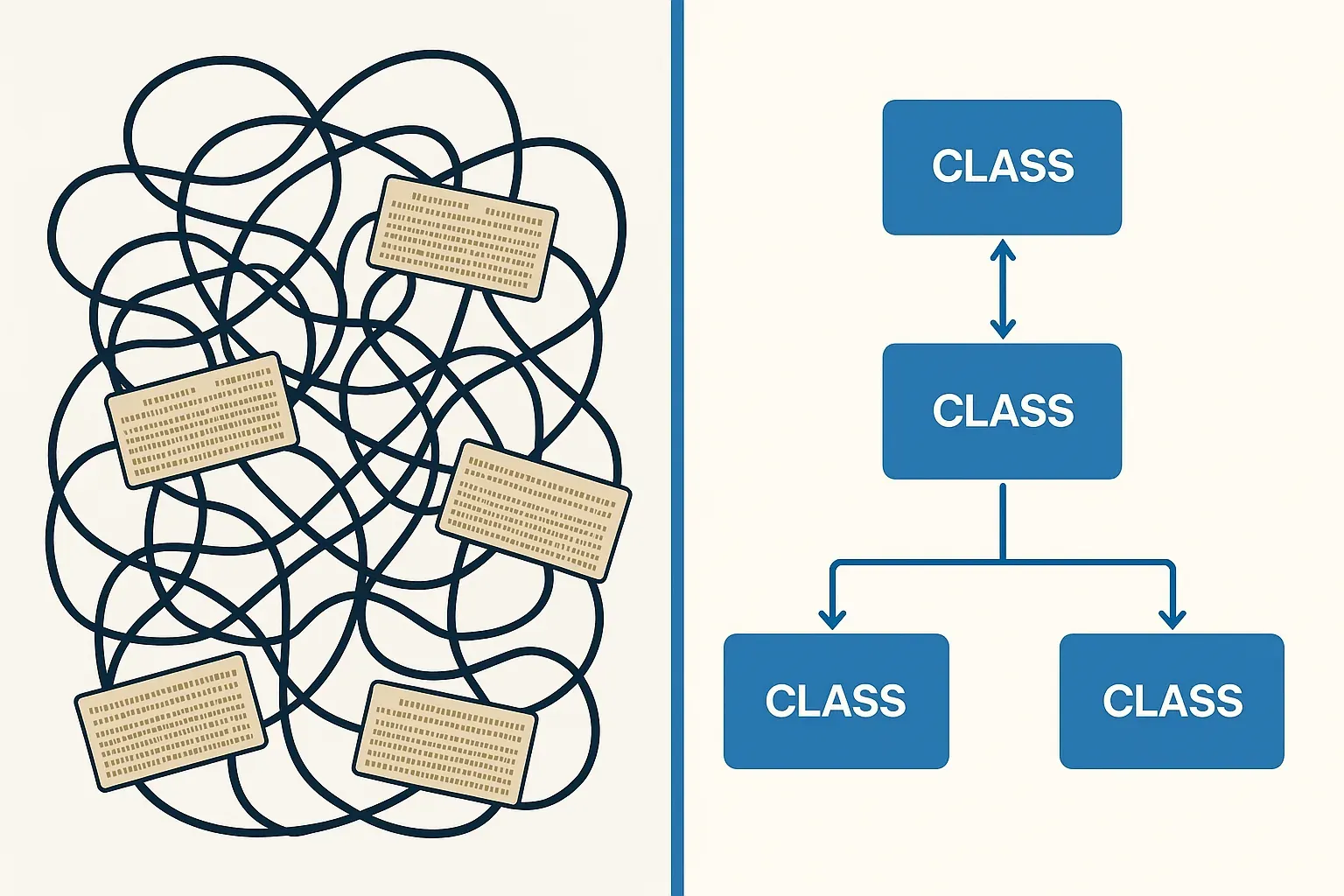
Refactoring legacy ABAP is one of those tasks that every experienced SAP developer eventually faces. You open a 3,000-line report written in 2003, and it hits you all at once: global variables everywhere, SELECT statements inside loops, business logic tangled with presentation, and zero tests. The question is never whether to refactor — it's how to do it without breaking production.
In this walkthrough, I'll take you through a realistic, step-by-step process for migrating a classic procedural ABAP report into clean, object-oriented code. No theory lectures — just the approach I actually use on real projects.
Why Refactoring Legacy ABAP Is Worth the Effort
Before touching a single line, you need to sell the idea — often to yourself and your team. Legacy procedural ABAP reports are hard to test, hard to extend, and a maintenance nightmare when requirements change. OOP gives you encapsulation, testability, and clean separation of concerns. That's not a buzzword pitch; it translates directly into fewer production incidents and faster feature delivery.
That said, a big-bang rewrite is almost always a mistake. The strategy I recommend is incremental extraction — you keep the report running at every step, extracting pieces into classes one responsibility at a time.
Step 1: Understand What You're Dealing With
Before writing a single class, spend time reading the existing code. Map out:
- Data sources — which tables are read, with what SELECT patterns
- Business rules — filtering, calculations, aggregations
- Output logic — ALV, classical list, spool, file output
- Side effects — does it write data, call BAPIs, update custom tables?
Draw a rough responsibility map. You're looking for natural seams where classes can form. A typical legacy report has at least three concerns collapsed into one: data access, business logic, and presentation. Your job is to pull them apart.
Step 2: Add a Safety Net First
Don't refactor without a test harness. Even a simple comparison test — run old code, capture output, run new code, compare output — gives you confidence that nothing broke. Where possible, write ABAP Unit Tests before touching the logic.
If the code is completely untestable in its current state (hardcoded SELECTs, no parameter injection), that's fine. Document the expected outputs manually for a few representative inputs. You'll build proper tests as you extract classes.
For a deeper look at writing reliable tests for SAP code, the ABAP Unit Testing in Practice article covers the fundamentals you'll need here.
Step 3: Extract the Data Access Layer
The first and safest extraction is always the data layer. Create a dedicated class — let's call it zcl_report_data_provider — and move all SELECTs into it.
CLASS zcl_report_data_provider DEFINITION
  PUBLIC FINAL CREATE PUBLIC.

  PUBLIC SECTION.
    TYPES: tt_orders TYPE STANDARD TABLE OF vbak WITH DEFAULT KEY.

    METHODS:
      constructor
        IMPORTING
          iv_date_from TYPE erdat
          iv_date_to   TYPE erdat,
      get_orders
        RETURNING VALUE(rt_orders) TYPE tt_orders.

  PRIVATE SECTION.
    DATA: mv_date_from TYPE erdat,
          mv_date_to   TYPE erdat.

ENDCLASS.

CLASS zcl_report_data_provider IMPLEMENTATION.

  METHOD constructor.
    mv_date_from = iv_date_from.
    mv_date_to   = iv_date_to.
  ENDMETHOD.

  METHOD get_orders.
    SELECT * FROM vbak
      INTO TABLE rt_orders
      WHERE erdat BETWEEN mv_date_from AND mv_date_to.
  ENDMETHOD.

ENDCLASS.
Notice the constructor receives parameters instead of reading global variables. This is the most important shift — constructor injection over global state. It also makes the class testable immediately. You can inject a test double that returns mock data without ever hitting the database.
Speaking of injection patterns, if you haven't seen how to do this without a framework, the ABAP Dependency Injection Without Framework article is directly relevant here.
Step 4: Extract the Business Logic Layer
Once data access is isolated, tackle the business rules. This is usually where the real mess lives — calculations buried inside loops, conditionals that encode undocumented business decisions, and output formatting mixed with filtering logic.
Create a processor or service class:
CLASS zcl_order_report_processor DEFINITION
  PUBLIC FINAL CREATE PUBLIC.

  PUBLIC SECTION.
    TYPES:
      BEGIN OF ts_order_result,
        vbeln    TYPE vbeln_va,
        netwr    TYPE netwr_ak,
        category TYPE char20,
      END OF ts_order_result,
      tt_order_results TYPE STANDARD TABLE OF ts_order_result WITH DEFAULT KEY.

    METHODS:
      constructor
        IMPORTING
          io_data_provider TYPE REF TO zcl_report_data_provider,
      process
        RETURNING VALUE(rt_results) TYPE tt_order_results.

  PRIVATE SECTION.
    DATA: mo_data_provider TYPE REF TO zcl_report_data_provider.

    METHODS:
      classify_order
        IMPORTING iv_netwr           TYPE netwr_ak
        RETURNING VALUE(rv_category) TYPE char20.

ENDCLASS.

CLASS zcl_order_report_processor IMPLEMENTATION.

  METHOD constructor.
    mo_data_provider = io_data_provider.
  ENDMETHOD.

  METHOD process.
    DATA(lt_orders) = mo_data_provider->get_orders( ).

    LOOP AT lt_orders INTO DATA(ls_order).
      APPEND VALUE #(
        vbeln    = ls_order-vbeln
        netwr    = ls_order-netwr
        category = classify_order( ls_order-netwr )
      ) TO rt_results.
    ENDLOOP.
  ENDMETHOD.

  METHOD classify_order.
    rv_category = SWITCH #( iv_netwr
      WHEN 0    THEN 'ZERO'
      ELSE COND #( WHEN iv_netwr > 10000 THEN 'HIGH VALUE'
                   ELSE 'STANDARD' ) ).
  ENDMETHOD.

ENDCLASS.
Each private method in the processor handles one classification or transformation. This structure maps cleanly onto the Single Responsibility Principle. If you want a solid grounding in applying SOLID to ABAP code, the SOLID Principles ABAP Practical Code Examples article walks through concrete examples for each principle.
Step 5: Extract the Presentation Layer
The last layer to extract is output. Whether it's ALV, a classical list, or file output, presentation logic should live in its own class. This separation means you can swap a grid ALV for a Fiori tile later without touching business logic.
CLASS zcl_order_report_display DEFINITION
  PUBLIC FINAL CREATE PUBLIC.

  PUBLIC SECTION.
    METHODS:
      display
        IMPORTING it_results TYPE zcl_order_report_processor=>tt_order_results.

ENDCLASS.

CLASS zcl_order_report_display IMPLEMENTATION.

  METHOD display.
    "ALV display logic here
    DATA: lo_alv    TYPE REF TO cl_salv_table,
          lt_result TYPE zcl_order_report_processor=>tt_order_results.

    lt_result = it_results.

    cl_salv_table=>factory(
      IMPORTING r_salv_table = lo_alv
      CHANGING  t_table      = lt_result ).

    lo_alv->display( ).
  ENDMETHOD.

ENDCLASS.
Step 6: Wire It Together in the Report
After extraction, your report's main program becomes a thin orchestration layer — a few lines of setup code and a clean call chain. This is what it looks like:
REPORT z_refactored_order_report.

SELECTION-SCREEN BEGIN OF BLOCK b1.
  PARAMETERS: p_dfrom TYPE erdat,
              p_dto   TYPE erdat.
SELECTION-SCREEN END OF BLOCK b1.

START-OF-SELECTION.

  DATA(lo_provider)  = NEW zcl_report_data_provider( iv_date_from = p_dfrom
                                                      iv_date_to   = p_dto ).
  DATA(lo_processor) = NEW zcl_order_report_processor( io_data_provider = lo_provider ).
  DATA(lo_display)   = NEW zcl_order_report_display( ).

  lo_display->display( lo_processor->process( ) ).
Read that last line. The intent is completely clear. Anyone opening this report for the first time understands what it does in three seconds. That's the goal.
Step 7: Introduce Interfaces for Testability
Once the classes are working, go back and introduce interfaces for the data provider and processor. This lets you inject test doubles in unit tests without depending on real database data.
INTERFACE zif_order_data_provider.
  METHODS:
    get_orders RETURNING VALUE(rt_orders) TYPE zcl_report_data_provider=>tt_orders.
ENDINTERFACE.
Then change zcl_report_data_provider to implement zif_order_data_provider, and update the processor's constructor to accept TYPE REF TO zif_order_data_provider. Now you can write a zcl_mock_data_provider that returns hardcoded test data, and your processor tests don't need a database connection.
For patterns around handling errors cleanly in this kind of layered architecture, the ABAP Clean Code in Practice article has a good section on structured exception handling across layers.
Common Pitfalls to Avoid
After doing this on dozens of reports, here are the mistakes I see most often:
- Refactoring and adding features at the same time. Pick one. Refactoring sessions should be feature-neutral. If you change behavior while restructuring, you can't tell what caused a regression.
- Creating God classes. If your processor class has 20 methods, you've moved the mess, not fixed it. Use the Chain of Responsibility or Strategy patterns to distribute behavior — see ABAP Chain of Responsibility Pattern for Workflow for a practical example.
- Over-engineering small reports. If a report is 150 lines and simple, you don't need five classes. Apply judgment. Clean OOP adds value when complexity warrants it.
- Forgetting to remove the old code path. Once the refactored version is verified in production, delete the old procedural code. Don't leave dead code branches behind.
Measuring Success
How do you know the refactoring worked? A few practical checks:
- Can a new developer understand the main program in under five minutes?
- Can you write a unit test for the business logic without a live database?
- Can you change the output format (ALV → file) without touching business logic?
- Does the Code Inspector report pass clean?
If the answer to all four is yes, you've done the job properly.
Final Thoughts
Refactoring legacy ABAP doesn't require a heroic effort or a full rewrite. It requires patience, a clear responsibility model, and discipline to extract one thing at a time. The pattern is always the same: understand, protect with tests, extract data access, extract business logic, extract presentation, wire together, introduce interfaces.
Work through it step by step and you'll end up with code that's genuinely maintainable — something the next developer who opens that report will actually thank you for.